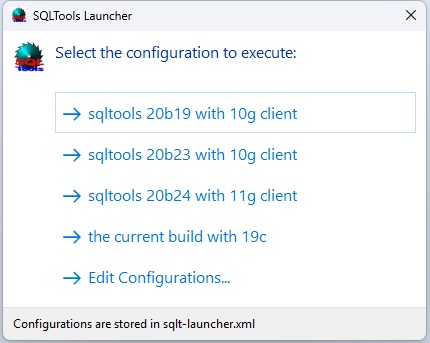
There are a situations when you cannot modify your environment variables like PATH or ORACLE_HOME but that might be necessary in order to make SQLTools work properly. In order to run SQLTools in modified environment you need to create XML control file sql-launcher.xml in the same folder as sql-launcher.exe. The following xml is provided for demonstration.
<?xml version="1.0" encoding="us-ascii"?>
<programs default="" detailed_labels="0">
  <program
    id="1"
    name="sqltools 1.6 with 10g client"
    executable="...\SQLTools 1.6\SQLTools.exe"
    oracle_bin_path="C:\Apps\instantclient_10_2\"
    tns_admin="C:\Apps\instantclient_10_2\"
  />
  <program
    id="2"
    name="sqltools 1.7 with 10g client"
    executable="...\SQLTools 1.7\SQLTools.exe"
    oracle_bin_path="C:\Apps\instantclient_10_2\"
  />
  <program id="3"
    name="sqltools 1.8 with 11g client"
    executable="...\Debug\SQLTools.exe"
    oracle_bin_path="C:\Apps\instantclient_11_2\"
    oracle_home="C:\Apps\instantclient_11_2"
  />
</programs>
element |
attribute |
description |
| programs | default | if it is set then an entry with corresponding id will be executed w/o showing UI. example: default=1 |
| program | id | optional, it is used only with default |
| program | name | required, it will be displayed in the list |
| program | executable | requred, the full path to a executable of your choice |
| program | oracle_bin_path | optional, the path to oracle bin folder |
| program | tns_admin | optional, set TNS_ADMIN="value" will be set before launching the executable |
| program | oracle_home | optional, set ORACLE_HOME="value" will be set before launching the executable |
The program will show the list of choices: