If you are installing SQLTools for the first time, please read the following:
Oracle 64-bit client (11g, 12c, 18c or 19c) is required. If you don't have any
Oracle client then the program fails to start with a message like "OCI.DLL not
found". Do not try to find and download this DLL because you need a properly
installed client, check www.oracle.com for the latest one. The smallest
available distribution package is called Oracle Instant client.
If you have only
32-bit client installed then SQLTools fails with the very cryptic message "The application was
unable to start correctly (0xc000007b)"
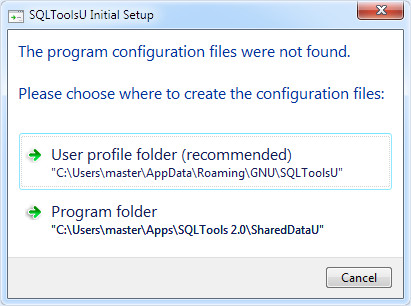
When SQLTools starts for the very first time, it asks
the user to choose where to keep XML settings files.
There are two options:
| Configuration | Settings Location |
| User profile | %APPDATA%/GNU/SQLTools folder |
| Program folder | <SQLTools program folder>/SharedData |
The first option is highly recommended if the program is installed for all users however if the program folder is under user profile then shared is good as private. The second one is preferable for installation on a usb drive. An additional benefit of using the first option is that the configuration can be shared between multiple SQLTools installations.
You can always find your setting using menu "Tools->Open Setting Folder".
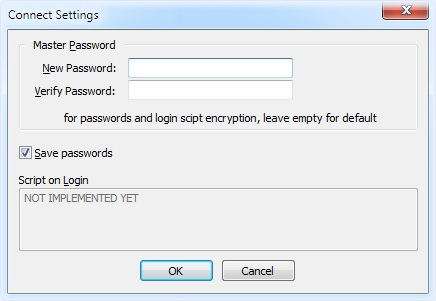
Another choice during the initial setup is the master password for encrypting some connection attributes. You can leave it blank, a default password will be used.